

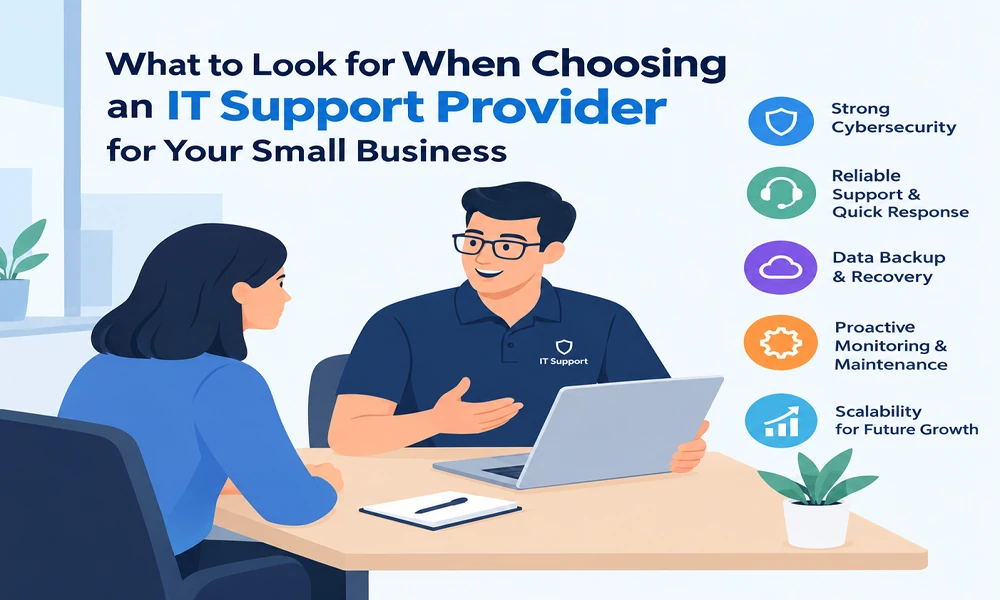
Technology problems can bring a small business to a standstill. A failed server, a compromised email account, or an unreliable network can interrupt daily operations, delay customer orders, and put important data at risk. Choosing the right IT support provider for small businesses helps prevent these problems while giving your team the technical expertise it needs to operate efficiently.
However, not every provider offers the same level of service. Some focus on fixing problems after they happen, while others monitor systems, strengthen security, and help businesses plan for future technology needs. Understanding these differences will help you find a partner that fits your budget, industry, and long-term goals.
Key Takeaways
- Look beyond price: Compare service coverage, response times, security, and contract terms.
- Prioritize cybersecurity: Ask about multifactor authentication, endpoint protection, software updates, and incident response.
- Check backup and recovery: Confirm how frequently data is backed up and how quickly it can be restored.
- Choose proactive support: Monitoring and maintenance can help identify problems before they interrupt operations.
- Plan for growth: Your IT provider should support additional employees, locations, cloud applications, and changing business requirements.
1. Evaluate the Provider’s Range of IT Support Services
Small businesses often rely on a mix of computers, business applications, cloud platforms, email systems, and network equipment. Managing these technologies separately can become complicated, especially when something stops working.
Before choosing a provider, identify the services your business needs and confirm which ones are included in the proposed agreement.
Look for support covering:
- Computer, server, and network troubleshooting.
- Business email and collaboration applications.
- Software updates, patch management, and system maintenance.
- Cloud configuration and migration.
- Employee onboarding and account management.
- Data backup and disaster recovery.
- Cybersecurity monitoring and incident response.
For example, a small accounting firm might need secure access to financial records, reliable document sharing, and protection against phishing. A retail business may prioritize payment system availability, inventory software, and network reliability.
The best provider will understand these differences and recommend services based on your actual operations rather than selling a standard package that leaves important gaps.
2. Make Cybersecurity a Top Priority
Cybersecurity is one of the most important factors when comparing IT support providers. Small businesses can face phishing attacks, stolen passwords, ransomware, fraudulent payment requests, and unauthorized access to customer information.
Your IT partner should offer a layered security approach rather than relying on antivirus software alone.
Essential security measures to look for
Multifactor authentication (MFA): MFA adds another verification step when someone signs in. Prioritize administrator accounts, email, remote access, and other systems containing sensitive information.
Endpoint protection: Ask how the provider protects business laptops, desktops, and servers against malware and suspicious activity.
Patch management: Operating systems, browsers, and business applications need timely security updates. Confirm who installs updates and how urgent vulnerabilities are handled.
Email security: Ask about phishing protection, suspicious attachment detection, and procedures for investigating compromised accounts.
Access controls: Employees should receive only the permissions they need. Former employees’ access should be removed promptly.
Security awareness: Regular training helps staff recognize fake invoices, password-reset scams, and messages designed to steal credentials.
A reliable provider should also explain what happens when an incident occurs, including who investigates it, how affected systems are isolated, and how your business receives updates.
The Federal Trade Commission offers practical guidance through its Cybersecurity for Small Business resource. Review its recommendations when evaluating a provider’s security practices.
3. Check Response Times and Support Availability
When an essential business application stops working, waiting hours for a response can affect customers, employees, and revenue. That’s why support availability and clear response commitments matter.
Ask prospective providers these questions:
- What are your standard support hours?
- Is emergency support available outside normal business hours?
- How quickly do you acknowledge critical issues?
- Can employees contact the help desk by phone, email, or an online portal?
- Is on-site support available when remote troubleshooting is insufficient?
- How are unresolved or recurring issues escalated?
Pay attention to the difference between response time and resolution time. A provider might acknowledge a ticket within 30 minutes but take several hours to fix the underlying problem.
Request a service-level agreement (SLA) that defines response targets by severity. For example, a complete network outage should receive a higher priority than a minor software question.
These commitments should reflect your business requirements. A company that operates outside regular office hours may need more extensive coverage than a business with a predictable daytime schedule.
4. Compare Pricing, Contracts, and Service Inclusions
IT support pricing varies according to the number of users, devices, locations, security requirements, and level of coverage. A low monthly quote may seem attractive, but it can become expensive if essential services are billed separately.
Common pricing models include:
- Break-fix support: You pay when a problem occurs or when assistance is required.
- Managed IT services: You typically pay a recurring fee for an agreed set of monitoring, maintenance, and support services.
- Co-managed IT: An external provider works alongside your existing IT employee or team.
- Project-based services: You pay separately for defined work, such as a cloud migration, office relocation, or major infrastructure upgrade.
Use the following comparison checklist before signing an agreement.
| Evaluation factor | What to confirm |
| Monthly fees | Per-user, per-device, or fixed pricing |
| Help desk | Included support hours and ticket limits |
| Security | Included tools, monitoring, and incident response |
| Backup | Storage, retention, and recovery charges |
| On-site visits | Included visits, travel costs, and additional fees |
| Contract terms | Initial commitment, renewal, and cancellation rules |
| Extra work | Rates for projects and out-of-scope requests |
Ask for a written list of exclusions. Clarify whether new hardware, software licenses, cloud subscriptions, after-hours work, and emergency recovery are included.
Also check what happens when you leave the provider. You should understand how your business can retrieve its data, administrator credentials, system documentation, and configuration records.
5. Verify Backup, Disaster Recovery, and Business Continuity
A backup is useful only if your business can restore its data when needed. Accidental deletion, hardware failure, ransomware, and cloud account problems can all disrupt operations.
Your IT provider should have a documented backup and recovery strategy tailored to your business.
Important questions include:
- How often are files, databases, and critical applications backed up?
- How long are backups retained?
- Are copies protected from modification or deletion by compromised administrator accounts?
- Is there an off-site or otherwise isolated backup copy?
- How frequently are restoration tests performed?
- How long would recovery take after a serious outage?
Two useful measures are the recovery point objective (RPO) and recovery time objective (RTO).
RPO describes how much recent data your business can afford to lose, measured in time. RTO describes how long a system can remain unavailable before it must be restored.
For example, a business that processes orders throughout the day may require more frequent backups and a shorter recovery time than one that updates its records only occasionally.
Ask for evidence of successful recovery tests, not just confirmation that backups are running. A written recovery plan should identify responsibilities, recovery priorities, and the steps needed to resume operations.
6. Look for Relevant Experience and Industry Knowledge
An IT provider should understand how your business works, not just how to troubleshoot computers.
Different industries face different technology challenges. Healthcare organizations may need to consider patient-data privacy and applicable regulatory obligations. Accounting firms handle confidential financial information, while retailers depend on reliable transaction systems and inventory applications.
- Experience supporting businesses of a similar size.
- Familiarity with the applications your team uses.
- Experience with relevant security and compliance requirements.
- References from comparable customers.
- Staff qualifications and specialist expertise.
- The process for documenting and resolving recurring problems.
You should also consider communication style. A good provider can explain a security risk or technical recommendation in plain English, including why it matters and what it will cost.
Industry experience is valuable, but do not treat it as a guarantee. Verify references and ask how the provider handles situations similar to the challenges your business faces.
7. Choose a Provider That Can Scale With Your Business
Your technology requirements will change as your business grows. You might hire additional employees, introduce remote work, open another location, or move more applications to the cloud.
A suitable IT support provider should be able to accommodate these changes without requiring a complete overhaul of your support arrangement.
Ask how the provider handles:
- Adding or removing users and devices.
- Supporting remote and hybrid employees.
- Expanding cloud storage and business applications.
- Connecting new offices and improving network capacity.
- Planning hardware replacements.
- Reviewing technology costs and future investments.
Discuss artificial intelligence (AI) tools as well. Many businesses are exploring AI assistants, automated workflows, and AI features within existing software. These tools can improve productivity, but they can also introduce data-sharing, access-control, and privacy risks.
Your provider should help establish appropriate usage policies, review vendor security practices, and identify which business information employees can safely share with AI tools.
For broader guidance, the NIST Small Business Cybersecurity Corner provides resources to help smaller organizations assess cybersecurity risks and improve their practices.
8. Assess Proactive Monitoring and Strategic Guidance
A provider that only responds when employees report problems may leave your business exposed to avoidable disruptions. Proactive IT management focuses on identifying risks, maintaining systems, and planning improvements before issues become emergencies.
Ask whether the provider offers continuous monitoring, routine maintenance, vulnerability management, and regular technology reviews.
For example, recurring network slowdowns might result from aging hardware, limited capacity, or a configuration problem. Fixing each complaint individually may offer temporary relief, while investigating the underlying cause can lead to a lasting improvement.
A good provider should also help you develop an IT roadmap. This plan can prioritize security improvements, hardware replacements, cloud projects, and spending over the next 12 to 24 months.
If you need external expertise, a small business IT support company may be worth evaluating alongside other qualified providers. Compare its proposed services, security controls, support commitments, and contract terms against your requirements before making a decision.
9. Review Reputation, Transparency, and Accountability
Trust matters when another company has access to your systems, business records, and administrative accounts.
Before signing a contract, check independent reviews, request customer references, and examine how the provider explains its work.
Look for evidence of:
- Clear communication during outages and security incidents.
- Documented service procedures and support tickets.
- Regular service reviews and performance reporting.
- Defined responsibilities for both parties.
- Secure handling of administrator credentials.
- A clear process for escalating complaints or unresolved problems.
Ask who owns your documentation and business data, how privileged access is protected, and how access will be transferred if the relationship ends.
Avoid providers that promise complete protection, refuse to explain their security practices, or cannot clearly describe what their contract covers.
Transparency is a stronger basis for a long-term partnership than broad marketing promises.
Frequently Asked Questions
1. What should a small business look for in an IT support provider?
Look for reliable help desk support, strong cybersecurity, tested backups, transparent pricing, clear service-level agreements, and experience supporting businesses with similar needs.
2. Is managed IT support better than break-fix support?
Managed IT support is often a good fit for businesses that need ongoing monitoring, maintenance, and predictable service coverage. Break-fix support may suit businesses with limited needs, but it generally provides less continuous oversight.
3. How much does IT support cost for a small business?
Costs depend on the number of users and devices, required security services, support hours, and contract scope. Request itemized quotes from multiple providers and compare the total expected cost rather than the monthly fee alone.
4. How can a business evaluate an IT provider’s cybersecurity?
Ask for details about MFA, endpoint protection, patch management, access controls, incident response, backup security, and recovery testing. Review the provider’s written procedures and responsibilities before signing a contract.
Conclusion
Choosing the right IT support provider requires more than comparing monthly prices. Small businesses should evaluate cybersecurity, support availability, recovery planning, industry experience, scalability, and contract transparency before making a commitment.
Start by documenting your current technology challenges and identifying your most important systems. Then compare providers against the same checklist, ask for written commitments, and verify their experience with similar organizations.
With the right support partner, your business can reduce avoidable disruptions, manage technology costs more effectively, and build a more secure foundation for future growth.
If you are reviewing your options, consider speaking with a qualified local provider to discuss your requirements and determine which services best fit your business.
